
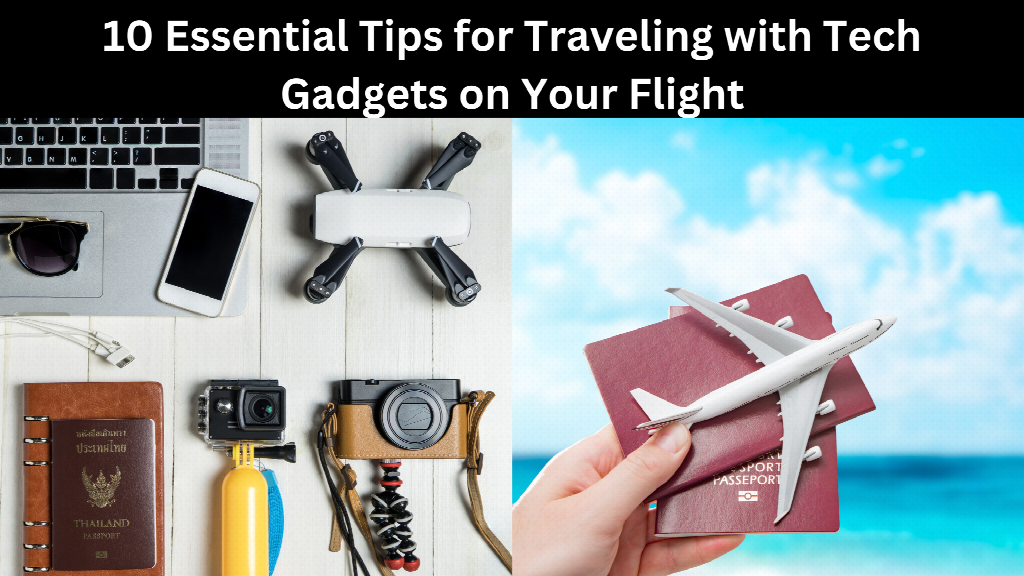
How do I ensure my tech gadgets stay safe and functional while traveling? It's a question many travelers ask, especially when facing strict security checks and the risks of baggage mishandling during their travel with gadgets. Connectivity is just as much a concern as the gadgets themselves, and even the inflight wifi experience can vary wildly between airlines, which makes having a backup plan for data on the ground even more important. This blog provides 10 essential tips to answer your concerns, helping you stay organized, comply with regulations, and make the most of your tech while traveling.
1. Organize and Protect Your Devices
Proper organization is essential for effortless travel with tech gadgets. A good investment is a tech organizer for neat storage of your cables, chargers, and small devices such as earbuds or USB drives. Aside from enabling easy access, an organized bag also speeds up the security process.
Protect your devices during travel. Gadgets such as laptops, tablets, or smartphones are much easier to damage while traveling, and thus, are better off having padded or shockproof cases to care for them. For uninterrupted connectivity once you land, we need to understand what are eSIMs , before you travel, since setting one up in advance means you can stay connected the moment you touch down, without hunting for a local SIM card at the airport. What makes this especially useful for longer trips is Holafly's Always On feature: a built-in backup that provides every customer with 1GB of data per month, automatically available when needed. Whether you are on a short connecting trip or settled into a longer stay, that extra layer is always there, ready to activate when your main data runs out or when something does not go as expected. For a traveler juggling chargers, cables, and devices, that kind of quiet backup is one less thing to worry about. Proper protection ensures your tech remains safe and fully operational throughout your journey.
2. Charge Devices Before Departure
Make sure to charge all your devices fully before leaving for the airport. You should know that most airlines, as well as the security authorities – including the Transportation Security Administration- will require you to power up your devices to screen them. Those who fail this step will be flagged, thus making it as inconvenient as possible for you.
It can be wise to pack a portable power bank with you so that you can keep your gadgets operational throughout all long flights. Choose a power bank that can at least go up to 10,000mAh so that you can get multiple charges on your most important devices.
3. Pack Spare Batteries and Accessories
Carrying spare batteries and essential accessories is crucial for seamless travel. Items like universal charging adapters, extra USB cables, and noise-canceling headphones can make your flight more comfortable and ensure you're never caught unprepared.
Spare batteries, particularly for cameras or other high-use devices, should always be packed in your carry-on. This is important because most airlines prohibit batteries in checked luggage due to safety concerns.
Familiarizing yourself with airline regulations regarding batteries will save you from unnecessary hassles at the airport.
4. Understand Airline Policies on Electronics
Different airlines have different rules regarding the use of electronics. Before your flight, take some time to research the airline's policies on laptops, tablets, and other tech devices. Some airlines allow in-flight Wi-Fi and Bluetooth use, while others may restrict device usage during takeoff and landing.
Understanding these rules ensures you're compliant and prevents awkward situations with flight attendants. Check your airline's website or contact their customer service for the latest updates on their carry-on tech device guidelines. For destinations where inflight connectivity is patchy or expensive, having a Holafly eSIM already active means you are not entirely reliant on the airline's wifi to stay reachable once you land.
5. Utilize Airplane Mode and Offline Features
Aren't all your devices supposed to have their airplane mode activated while flying, not just to comply with the regulations, but also to save your battery charge? New devices possess offline applications that enable you to work or amuse yourself without an active connection.
For example, you can download movies, podcasts, or even e-books before your flight. Offline features will keep your devices working, whether Wi-Fi is available or allowed during air travel. Always make the necessary decisions and ensure that you sync your documents, apps, and all other content with offline access.
6. Secure Your Devices During Security Checks
Navigating security checkpoints with tech gadgets can be stressful, especially if you're unprepared. Larger devices like laptops and tablets will need to be removed from your carry-on bag and placed in a separate bin for screening.
Keeping these items in easily accessible compartments can simplify the process and save you time. Using TSA-approved bags designed for laptops can also make it easier to comply with security requirements. Always double-check your tray after screening to ensure you don't leave anything behind.
7. Consider Device Insurance and Tracking
You will fear losing or damaging your electronic gadgets during travel, but travel insurance with protection against electronics is just what such people need. A majority of the insurance plans also give a guarantee of replacement for the missing items.
In addition to insurance, consider using tracking devices like Apple AirTags or Tile trackers to monitor the location of your gadgets in real time. These trackers are particularly useful for high-value items like laptops and cameras, ensuring you never lose sight of your essentials. Pairing a tracker with an active Holafly eSIM on your phone also means location updates keep coming through even if you switch networks crossing a border.
8. Be Mindful of In-Flight Usage Etiquette
Be considerate of your fellow passengers' comfort when using your devices on flights. For all audible content, use headphones so that no one else has to hear it. Set the brightness of your screen at levels that are comfortable enough for you, but not glaring to others. Deny loud notifications by muting your gadgets. These are just some of the general guidelines for proper etiquette that can make the overall travel experience more enjoyable for everyone on board.
9. Prepare for International Travel Considerations
International travel along with gadgets and electronics needs special managing. Requirements of electricity outlets and voltage vary largely from place to place, making an essential universal adapter important. Also, your destination might potentially be operating a different voltage system and thus a converter might be needed.
You should check the country-specific regulations regarding electronics import, as there are many nations that have some restrictions or need special documentation for import. Knowledge of such regulations will save you from surprise upon arrival. This is also a good moment to confirm your eSIM plan covers your specific destination. Holafly's coverage spans over 200 destinations, so most international itineraries are accounted for without needing to switch providers mid-trip.
10. Stay Informed About Security Regulations
Changes in the device's travel security protocols can take place very fast, so it is advised to use the TSA website, as this is the official agency's online resource for the latest regulations on matters regarding laptops, tablets, power banks, and so forth.
There is something you have to know concerning lithium batteries: they have very specific regulations attached to them. Keeping informed about those will make you well-prepared and also minimize the chance of your having to suffer any delays.
Conclusion
It doesn't really have to be stressful to travel with tech gadgets. You can have an easy and worry-free journey if you are organized, packed smartly, and know the rules and regulations of airlines and security. Use these 10 super tips to protect devices, stay connected, and enjoy the travel experience. Setting up a Holafly eSIM before you go is a small step that handles the connectivity piece long before you reach security.
FAQs
Which gadget is not allowed in flight? Electric apparatuses using batteries larger than 160 Wh are never allowed. Spare lithium batteries and power banks are allowed only in hand baggage.
What recent technologies are a must-have when on holiday? Travel adapters come with an interesting addition these days-in addition to being multi-faceted, many also have USB and USBC ports. It fits almost every region across the globe and, as a dual plug, allows you to plug in a laptop or other standard peripherals. An eSIM from a provider like Holafly is worth adding to that list too, since it solves connectivity rather than just power.
How to fly with a laptop? To safeguard your laptop from damage during travels, keep it inside a padded compartment within your carry-on luggage. This compartment should keep your laptop secure while minimizing the chances of scratches or damage due to impacts.